Usage Context and Setup
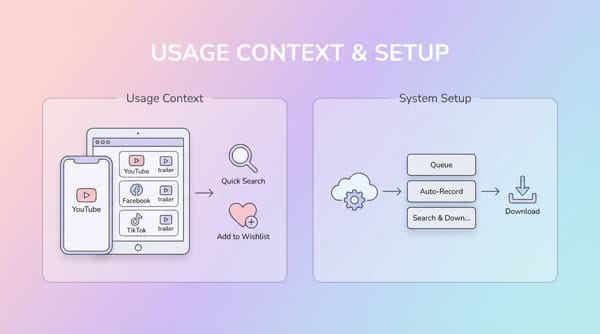
Usage Context See a favorite trailer on YouTube/Facebook/TikTok...
Usage Context
- See a favorite trailer on YouTube/Facebook/TikTok...
- Want to quickly search for information about the movie and add it to the Wishlist
- The system automatically records it into a queue to search and download
- After the download is complete, it sends me a notification
Setup
Here I use Plex to manage and search for movies to add to the Wishlist. You can use other services such as IMDB or Trakt, which specialize in movie reviews; you can also use them as triggers to sync into the Home Media system.
- Access Sonarr/Radarr
- Select Authenticate to authorize access to the Wishlist on Plex
- Click Save and you’re done. From now on, whenever there is a new movie in the wishlist, the system will automatically scan to add it.
Go to Setting > Import List > Plex Watch List