
Preconceptions About HASS (Home Assistant)
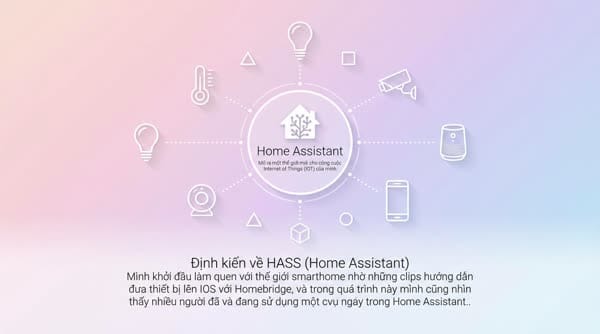
Định kiến về HASS (Home Assistant) Mình khởi đầu làm quen với thế giới smarthome nhờ những clips hướng dẫn đưa thiết bị lên IOS với Homebridge, và trong quá trình này mình cũng Từ khóa: bms, homekit, automation.
Preconceptions About HASS (Home Assistant)
I first got into the world of smart homes thanks to tutorial clips on bringing devices onto iOS using Homebridge, and along the way I saw that many people were already using Home Assistant (which can also be another solution to bring devices onto iOS). However, with HASS people tend to use its own app and web interface to build all kinds of custom control dashboards with complex customizations, instead of it simply being a bridge platform to bring non‑HomeKit devices into Apple Home. So I formed some preconceptions:
- The system must be heavy to run and full of bugs
- Mainly handled via code snippets, hard for beginners to get used to
- The interface looks kind of “cheesy”, tapping on things doesn’t feel responsive or interactive; overall both UX and UI are bad
Because of those preconceptions, I spent more than a year struggling with other platforms just to integrate the conveniences I wanted. I even played around with NodeRED to build backend logic and store data in InfluxDB, then built dashboards with Grafana... Or used Prometheus to hold raw data collected from node exporter to monitor system health. Basically, it was like using a buffalo slaughtering knife to kill a chicken over and over again.
It wasn’t until I was forced to install HASS to use two features that developers only support on this platform—connecting a JK BMS board and viewing electricity company readings—that I gave it a try. After successfully installing it, I was really surprised by how far HASS has come; it makes everything unbelievably simple. I ended up getting completely sucked into learning this platform day and night for two straight weeks.
Looks Complicated but Is Surprisingly Minimalistic
Almost All Common Devices Are Automatically Detected
Right away, the notification section showed that new devices on the same network had been detected; I just had to tap “accept” and they were automatically configured and added into HASS instantly. From devices that support Google Cast like Smart TVs and Smart Speakers, to Broadlink, Sonoff, Apple TV devices, and more...
Streamlined Integrations
I tried searching for other Integrations and very quickly found officially supported integrations for HASS. With needs that don’t require customization yet, that was already more than good enough for me. Compared to platforms like Homebridge, where you have to install many plugins and know how to configure each one correctly in the config file with the proper syntax, HASS brings an unexpected level of simplicity.
The Open Source HACS Ecosystem
Besides the official integrations, there are community-developed integrations that practically let you implement any integration you can think of.
I even emailed the supplier of my Solis solar inverter asking them to open up API access for me so I could pull all the readings from the inverter into the HASS system to build energy optimization scenarios. For example, knowing when to turn off charging systems when solar production isn’t enough to cover the current load.
More Than Just Tapping to Control
The real power of HASS lies in how it can control the devices in your smart home, with a full range of functions from metric monitoring to complex automation scenarios.
Creating Dashboards to Monitor Key Metrics

With the ability to integrate systems as sensors, I can easily build dashboards to monitor these metrics however I want. For example, the dashboard above lets me monitor and control the entire household energy system from a single interface.
On top of that, I can monitor other important system metrics to detect and prevent risks that could bring down critical devices like the router, home server, etc. Temperature and device health metrics are tracked 24/7. I even scheduled speedtests so I always know the maximum speed I’m getting at any time of day. The main purpose is to determine whether a slow network is due to the ISP or overloaded hardware so I know when to go complain to the ISP.

I can create views to precisely track location sensors, the security system, or even track whether I’ve forgotten to charge or replace batteries in any device around the house. As more and more things in the home run on batteries, it’s really frustrating when you need something and its battery is dead.
Powerful Automation Capabilities
Usually, automation systems on smart home platforms or apps revolve around IF ELSE conditions based on AND/OR combinations of triggers and conditions. That often leads to certain limitations, forcing you to create intermediate steps to achieve the scenario you want, or just give up.
With HASS, I can simply describe my desired automation scenario to ChatGPT, and it can help me write an automation script in YAML, which I then paste back into HASS’s Automation interface. That makes it easier to visualize the conditions and tweak them to suit my needs.
HASS Automations help me perfectly implement automations such as:
- Knowing when both my wife and I have left the room to turn off devices, and when either of us comes back to turn them on
- Sending alerts only when a door opens abnormally and only when someone is in a restricted area during restricted times
- Ensuring the garage door only opens when I’m already in front of the gate within a distance of 5 m, instead of opening as soon as I get near home
- Adjusting lights based on ambient brightness so they’re appropriately bright, or dim enough at midnight when going to the bathroom
- Automatically restarting the web server when the website stops responding
- Automatically turning charging for storage batteries, EVs, etc. on or off based on solar power output, so I don’t end up not charging when energy is surplus and charging when energy is insufficient, which would cost extra money paid to the power company
With automation at this level, the only limit is your own creativity; the tools are more than sufficient. I can continuously refine and update automation scenarios so that the house runs according to the habits of myself and my family.
Highly Customizable, Styled Like a Website with CSS
At this point I’m starting to feel like I’m going to be the one creating preconceptions about how complicated HASS is :)))). In short, HASS lets you do pretty much anything you can imagine for a monitoring system; you can customize its display in any way you want using HTML and CSS. I haven’t figured out how to integrate JS yet, or maybe it’s not supported, but basically you can already create all sorts of animations on the interface however you like.
To Sum Up
Running HASS for a smart home system requires more powerful hardware than Homebridge, but in return you get a much better experience, with simplicity plus extreme customization if you want it. To use it comfortably you should at least run it on a Raspberry Pi 4 or 5, or some kind of mini PC—then it will operate stably. Systems running on modded TV boxes are just for fun; you can hardly tap into much of what HASS is capable of with those.
Hope you have an interesting experience with HASS. If you have any questions, feel free to ask and I’ll answer through an article or in the comments. See you in future posts where I’ll share more about smart homes.