
The Issue When Accessing the Server via the Router’s Public IP in the Same LAN
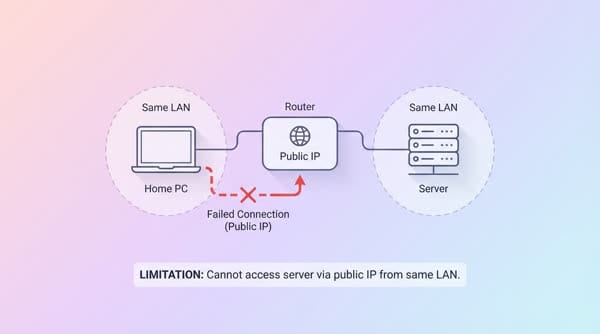
The problem arises when the Home PC wants to access the Server (both are in the same LAN) through the router’s Public IP; the connection will fail.
The problem arises when the Home PC wants to access the Server (both are in the same LAN) through the router’s Public IP; the connection will fail.
However, there is a limitation that you cannot access the server via the Public IP or domain name if you are at home, on the same LAN as the Server. You can only access the server from the external Internet (not on the same LAN as the server).
To solve this problem, you must additionally configure Hairpin NAT on the router. In this article, I will share how to set up Hairpin NAT on a Mikrotik router so you can access in-home network services using a domain name, without having to type the server’s IP address.
In the diagram above, we have 4 devices:
- WORK PC: located outside the LAN, with Public IP
192.168.88.1 - Router with Public IP
172.16.16.1and LAN IP192.168.0.1 - Home PC: located in the LAN, with LAN IP
192.168.0.100 - Server: located in the LAN, with LAN IP
192.168.0.30
When using the WORK PC to access the Server, the Router performs Destination NAT as follows:
- The WORK PC sends a packet with Source IP Address
192.168.88.1and Destination IP Address172.16.16.1on port 443 to request data from the Server. - The router performs NAT and translates the Destination IP Address to
192.168.0.30(the server’s LAN IP). The Source IP Address remains192.168.88.1. - The Server receives the packet and replies with a packet whose Source IP Address is
192.168.0.30and Destination IP Address is192.168.88.1. - The router receives the packet from the Server and recognizes that this packet is part of the previous connection chain, so it reverses the NAT process, replacing the Source IP Address with
172.16.16.1. The Destination IP Address remains192.168.88.1. - The WORK PC receives the packet it has been waiting for. The connection between the WORK PC and the Server is established.