Wi-Fi Issues When Using A Smarthome
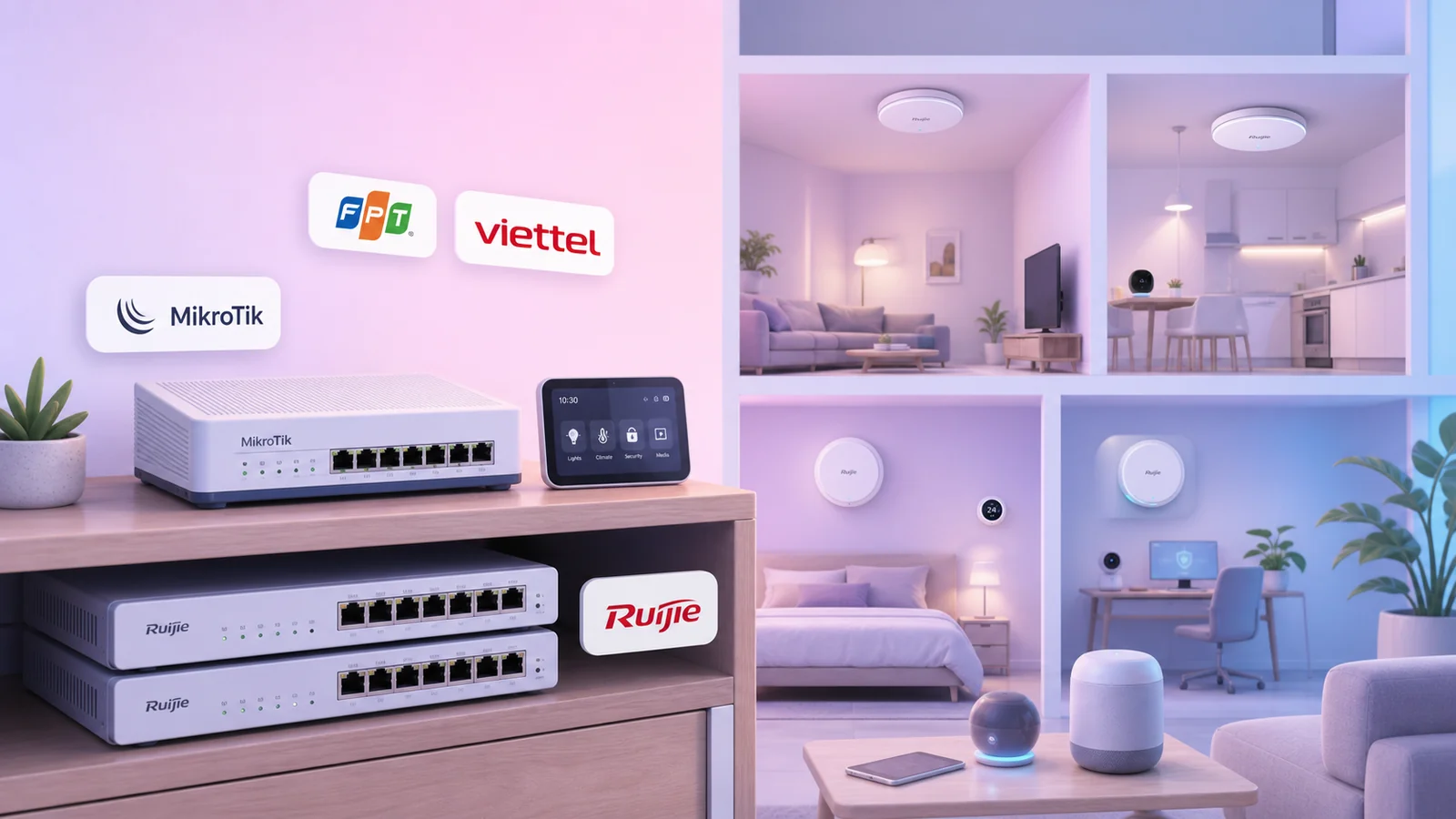
In a smarthome, Wi-Fi needs more than strong signal. It must handle many always-on devices at the same time. This is my current network setup with a MikroTik hAP ax², separate FPT/Viettel lines, 2 Ruijie switches, and 6 wired Ruijie APs.
When a home starts using many smarthome devices, the Wi-Fi problem is usually no longer just "does the signal reach that room?". The real issue is that the number of simultaneous connections grows quickly: switches, sensors, cameras, hubs, speakers, TVs, phones, laptops, and other devices stay connected all day.
If the ISP router is still doing everything at once - PPPoE, DHCP, NAT, and Wi-Fi - the network can easily become inconsistent. Devices may randomly drop Wi-Fi, automations may respond slowly, and the connection can feel fast one moment and unstable the next.
My Current Network Setup
I now separate the roles in the home network:
- Main router: MikroTik hAP ax²
- Internet: 2 separate lines, FPT and Viettel
- LAN distribution: 2 Ruijie switches
- Home Wi-Fi: 6 Ruijie APs, placed across different rooms and areas
- Switch-to-AP connection: wired LAN to every AP
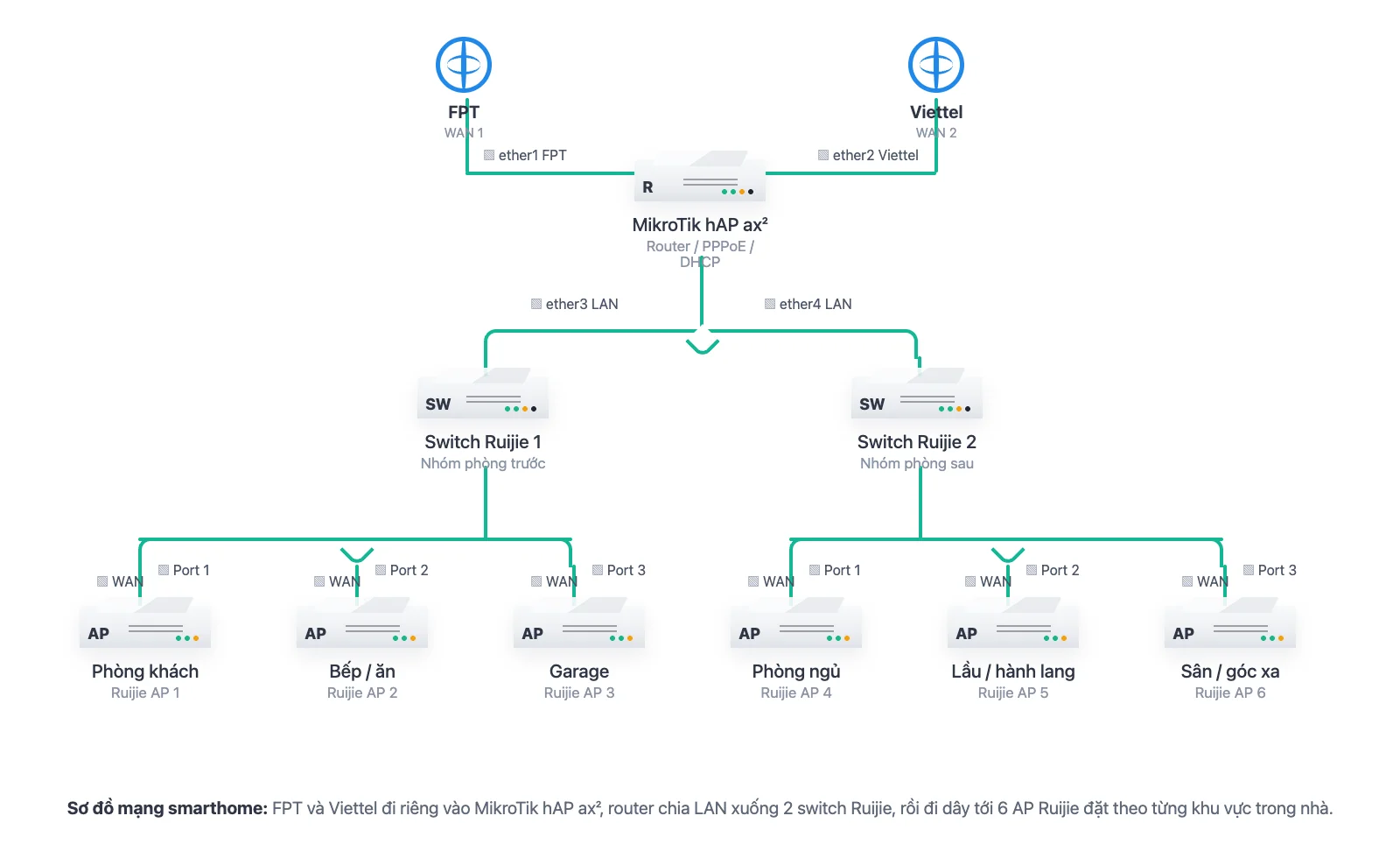
The MikroTik hAP ax² is the main router. It handles PPPoE, DHCP, NAT, firewall, and routing. The two FPT and Viettel lines enter the router separately so both Internet connections can be used in parallel.
One point needs to be clear: this is not line bonding that combines FPT + Viettel into one single larger pipe. I use the two lines for load sharing, failover, and policy routing. Different connections or device groups can be distributed across the two ISPs, but one single connection does not automatically become the sum of both lines.
Why Not Wireless Mesh
Wireless mesh is convenient because it reduces cabling, but with many smarthome devices I prefer wired APs. The reasons are straightforward:
- Each AP has its own uplink back to the switch.
- Traffic between AP and router does not need to hop through Wi-Fi.
- Devices can connect to the nearest AP, while the backhaul remains stable over cable.
- It is easier to split AP coverage by area: living room, kitchen, garage, bedrooms, hallway, yard, or far corners.
With this approach, each device has a clear job. APs provide Wi-Fi. The router handles routing. Switches aggregate wired connections. A network is much easier to stabilize when every component does one role well.
When To Upgrade Your Home Network
If the home only has a few phones and laptops, the ISP router may still be enough. But once the house becomes a smarthome, consider upgrading if these symptoms appear:
- Devices occasionally disconnect from Wi-Fi even when they stay in the same place.
- Automations sometimes fail because hubs or switches respond slowly.
- The network is fast sometimes and slow at other times, especially during busy hours.
- The ISP router gets hot, freezes, or reboots by itself.
- Cameras, TVs, speakers, phones, and IoT devices are all competing on the same Wi-Fi.
The first thing to upgrade is not always the Internet package. In many cases, the bottleneck is inside the home network: an overloaded router, badly placed APs, or a wireless mesh system carrying too many devices.
Practical Notes When Rebuilding The Network
For this kind of setup, I follow these principles:
- Do not make the ISP router do every job.
- Use a dedicated router for DHCP, NAT, firewall, and routing.
- Use switches to distribute LAN to the rooms.
- Use wired APs whenever cabling is practical.
- Do not try to use many router LAN ports as a replacement for proper switches.
- Define the purpose of the two Internet lines clearly: load sharing, failover, or routing specific device groups.
If you have 2 lines like FPT and Viettel, treat them as two independent Internet paths. Running them in parallel makes the system more flexible: if one line fails, the other can keep working; or one group of devices can use FPT while another group uses Viettel. Do not expect combined bandwidth unless you use a proper bonding solution at both ends.
In short, stable Wi-Fi for a smarthome comes from the right network architecture: MikroTik hAP ax² as the central router, FPT/Viettel running in parallel, 2 Ruijie switches distributing LAN, and 6 wired Ruijie APs covering the house area by area.